Leaderboard
 Updated 15 hours ago
by
Collin Palmer
Updated 15 hours ago
by
Collin Palmer
Every Arcade game comes with a built-in leaderboard that tracks how players perform. The leaderboard updates automatically as players complete the game.
What the Leaderboard Shows
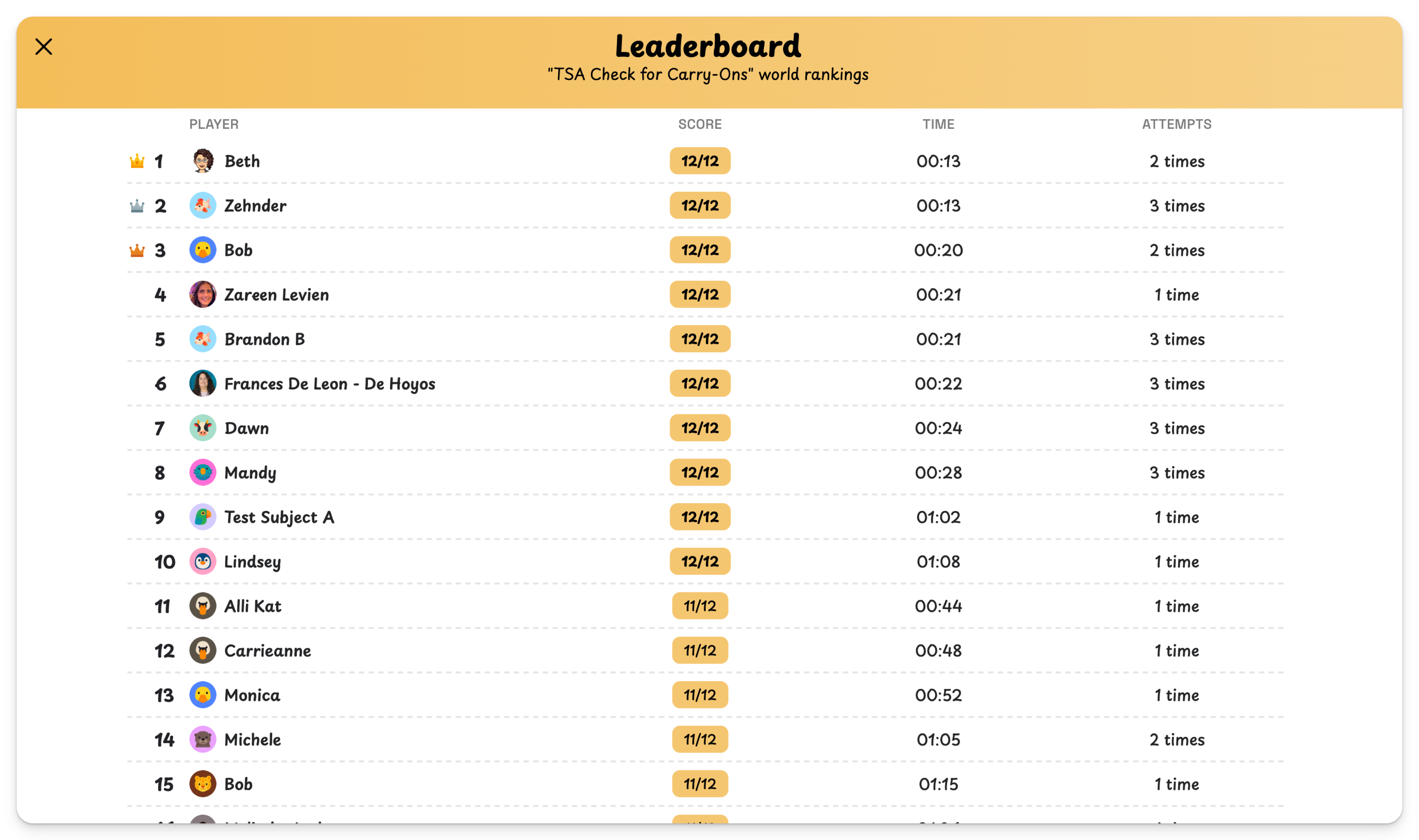
The leaderboard displays a ranked list of players with the following information for each entry:
- Name — The display name the player entered before playing.
- Score — Number of correct items (e.g., 4/4).
- Time — How long it took to complete the game (e.g., 00:09).
- Attempts — How many times the player has played the game.
Top-ranked players are highlighted with crown icons. Players are ranked by score first, then by speed as a tiebreaker — so if two players both score 10/10, the faster one ranks higher.
Viewing the Leaderboard
Players can see the leaderboard after completing a game, showing where they rank among everyone who’s played. As the creator, you can view the leaderboard at any time from the game’s edit view.
Leaderboard Visibility Settings
By default, the leaderboard is visible to all players. You can change this in your game’s settings:
- All Players (default) — Everyone who plays the game can see the full leaderboard and where they rank.
- Creator Only — Only you (the game creator) can see the leaderboard. Players will still see their own score after completing the game, but won’t see how they compare to others.
To change the leaderboard visibility, open your game in edit mode and look for the leaderboard settings
Attempts
Players can play a game as many times as they want. The number of attempts that will contribute to their leaderboard score is set under "Scored attempts" in settings. After hitting the maximum people can keep playing, their scores just won't count.
Current Limitations
The leaderboard is currently the only analytics available for creators. There is no question-level breakdown (e.g., which questions were most commonly missed), no per-student performance report, and no way to export leaderboard data. These are features we’re aware of and may add in the future.
