Enable third-party login for Padlet for Schools (at padlet.com)
 Updated 6 days ago
by
Rana Wilds
Updated 6 days ago
by
Rana Wilds
If you are tired of asking your users to create yet another account at yet another site, fret not! Padlet has something for you that is convenient as well as secure.
Enabling third-party login, otherwise known as single sign-on (SSO), is a secure and easy way to give access to your account. You can use your existing credentials with Google, Microsoft or ClassLink by turning on third-party login for Padlet for Schools.
If you are interested in SAML SSO, please refer to this article.
Enable third-party login
- To enable third-party login, log into your Padlet for Schools Owner account.
- From the dashboard, click on the Settings cog icon in the top-right corner > select the school account (at the top) > Access.
- Under 'Log in options,' choose which options you'd prefer to offer the members of your account. Choose as many options as you'd like - between the traditional email and password or one of our SSO options.
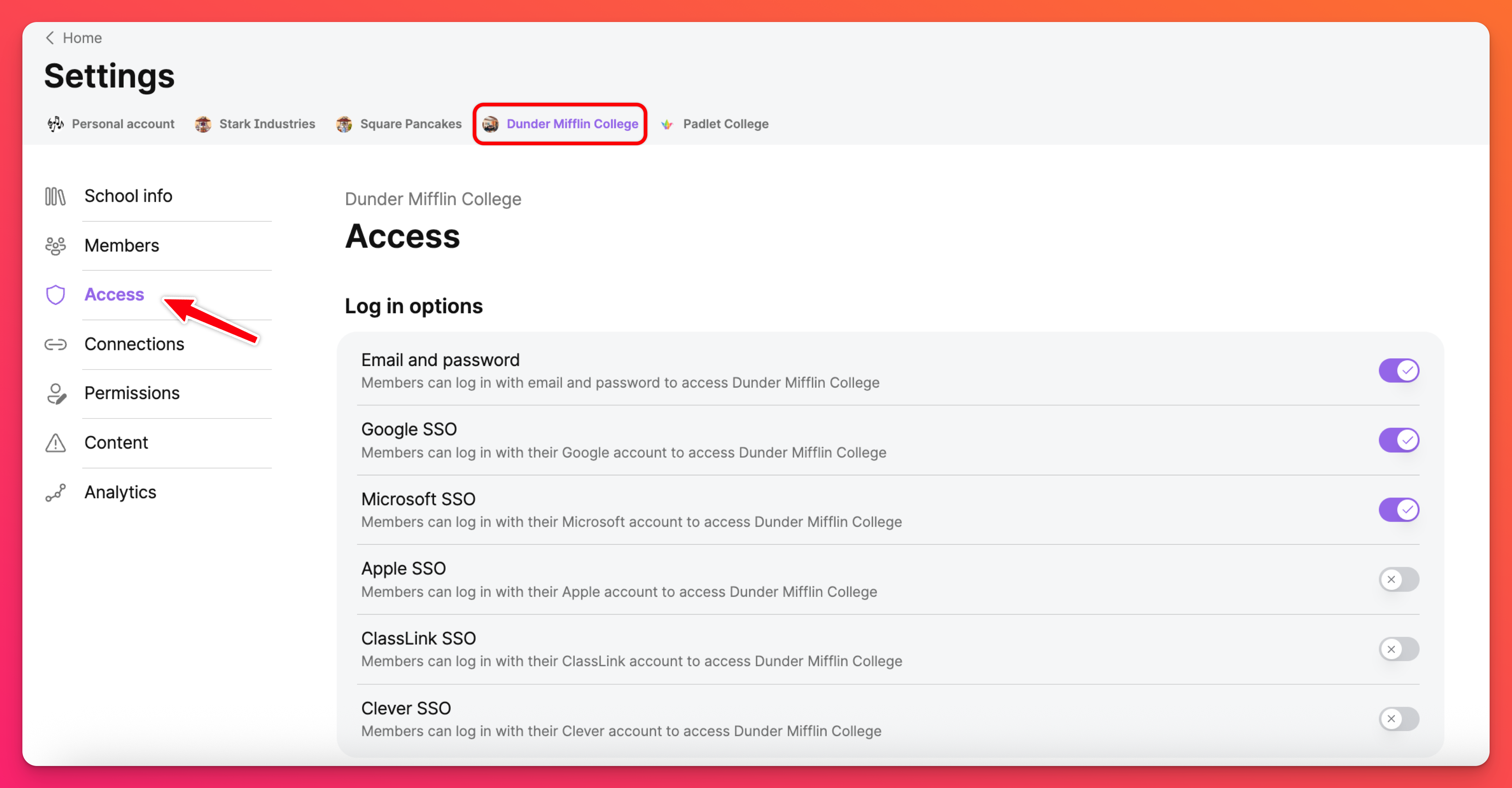
Once you've made your choices, your login page will include SSO!
Third-party log in options
SSO options | |
Google SSO - Users can click the Log in with Google button using their Google email to access their accounts. Learn more about using Google for Education and managing users with the Google for Education App Hub here! | Microsoft SSO |
Apple SSO | ClassLink SSO - When you enable ClassLink SSO, you will need to add your ClassLink tenant ID. Read more about signing in with ClassLink here! |
Clever SSO - When you enable Clever SSO, you will need to add your Clever tenant ID. Read more about signing in with Clever here! |
Create accounts automatically
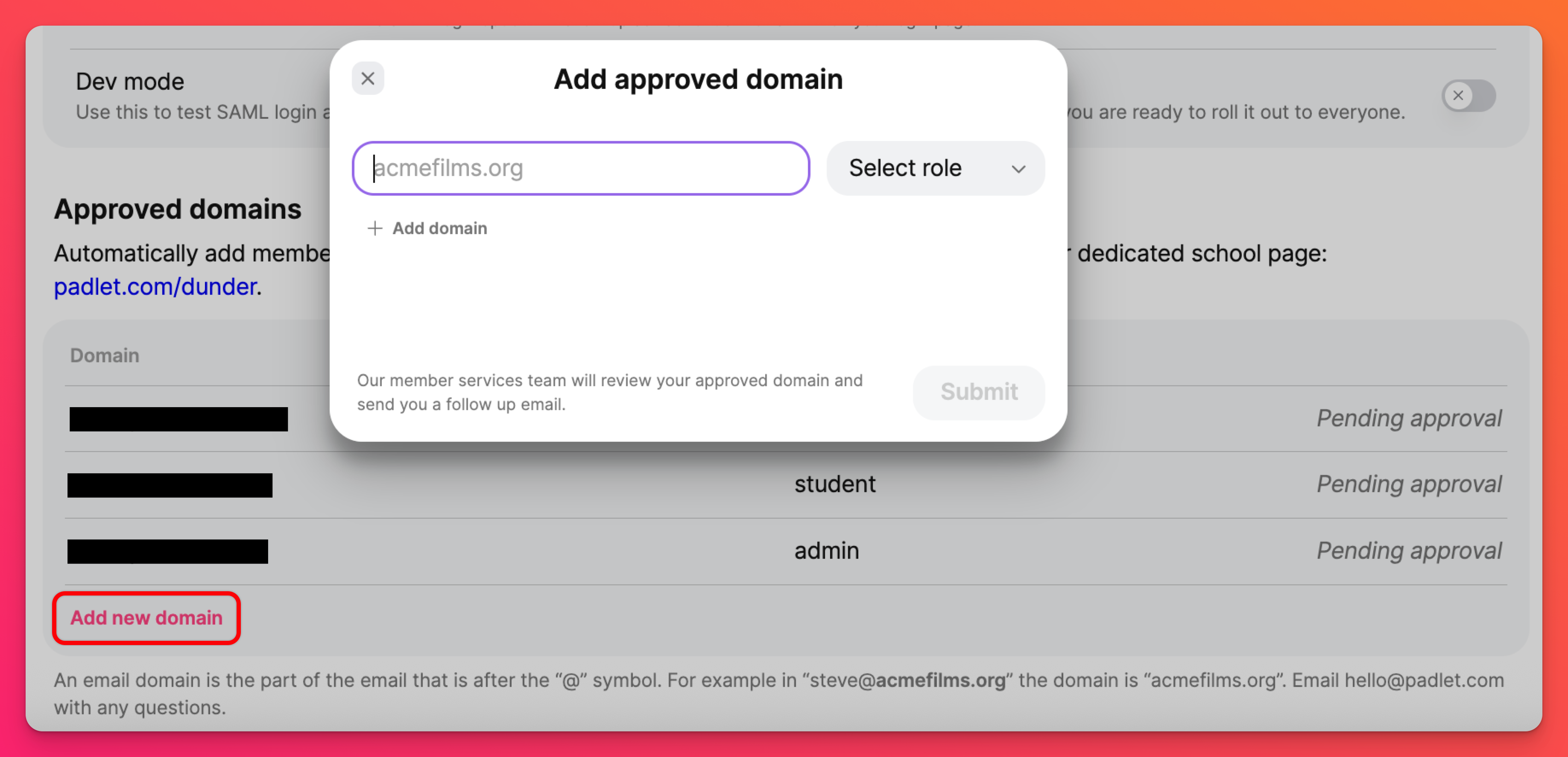
Enabling ClassLink or Clever SSO will automatically create accounts for users who visit their school's Padlet URL or a padlet created within the account. Padlet for Schools Owners can determine specific email domains to automatically create accounts in these situations.
Under 'Approved domains,' click Add new domain to submit your request. Our team will review your submission and follow up with the status.